«Back
Docker Build Deep Dive (Containerize an app)
- Lets Create a new directory
viki-container-web-app
- Create a Edit
Dockerfile with capital D
- Add the content as shown below, similar for index.html
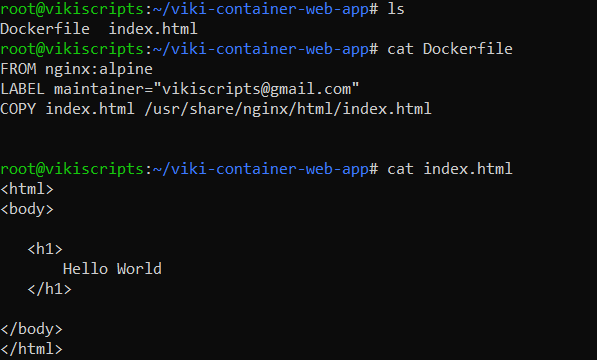
docker build -t <image_name> . OR docker image build -t <image_name> . command builds an Image from current directory (notice Dot . at the end of command)
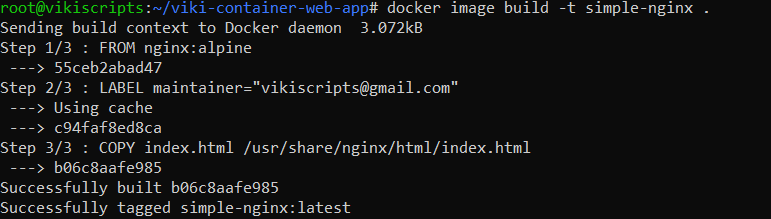
- Now you can use
docker run to run a container from newly built image
--rm in docker run command removes a container the moment it is exited.-it mode makes it interactive, you could also see the output of nginx web requests here.

- You can also build an image from a git repo
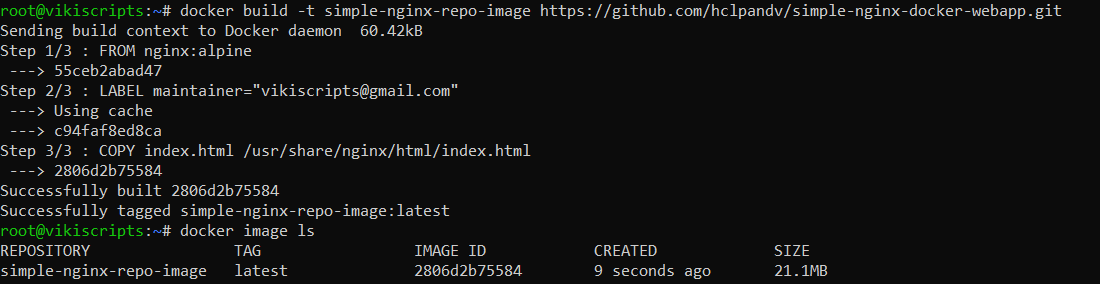
- docker expects a
Dockerfile in the directory where it is builing to get intructions to build the image
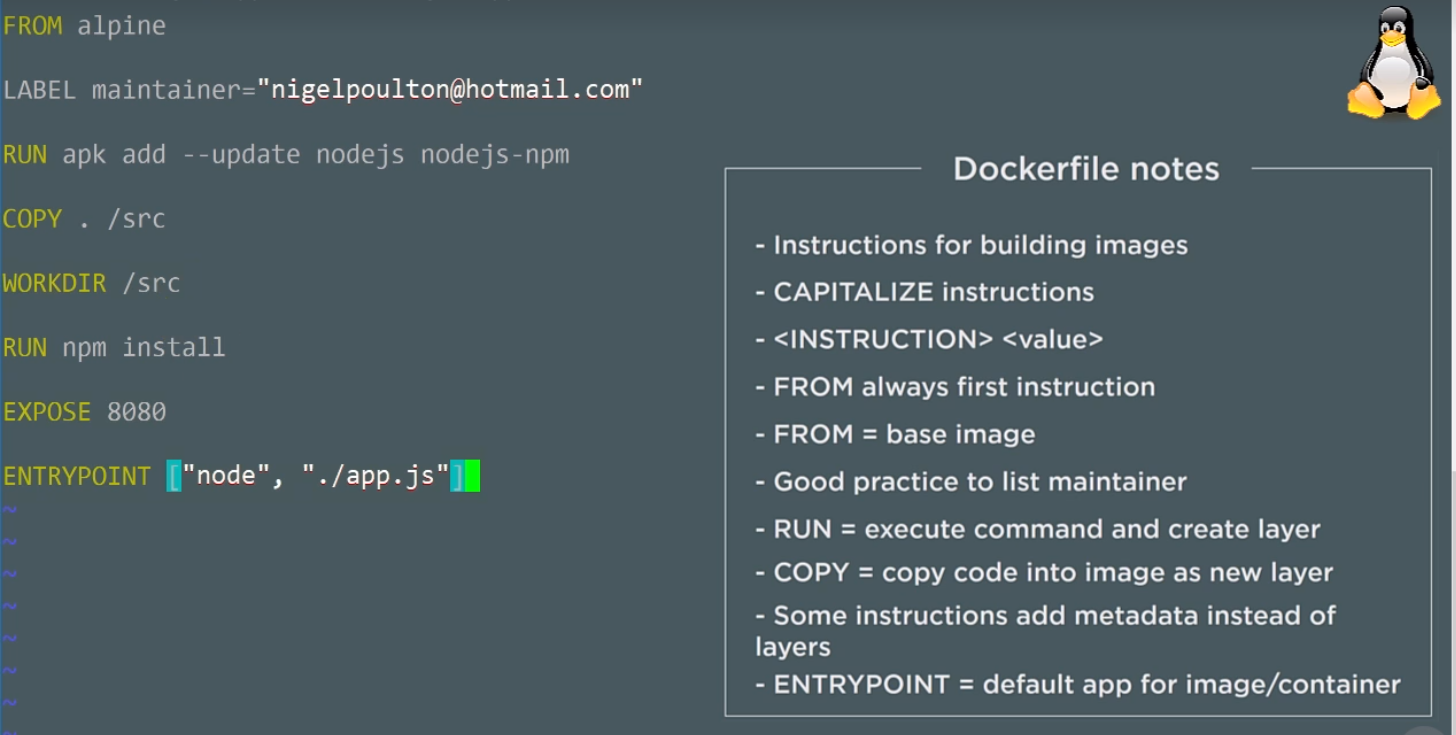
- Instructions in
Dockerfile is like a Key-Value pair where Keys are kept as UPPERCASE (aka FROM, RUN, COPY)
- Below picture gives a detail about this