DevOps Training Material
Docker containers deep dive
docker container run -it <image_name> <program_to_start>creates and starts a container from an image specified.- It additinaly pulls an image if it is locally not available
docker run -it <image_name>also works without explicit container keyword, but it considers a defaultprogram_to_startakaentrypointorcmdis already defined inDockerfileof the specified image (otherwise container is created but in exited state)docker run -itstarts the container, attaches your terminal shell’s I/O to Containers shell’s I/O.
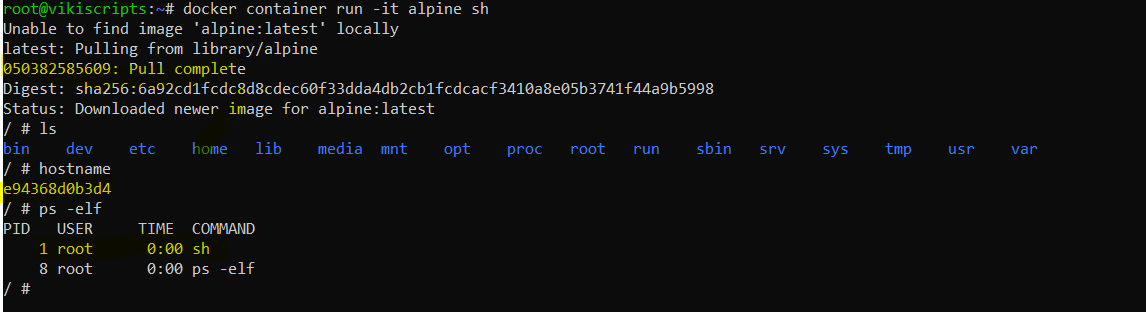
- Observe in the above example that one process is running i.e.
sh. - microservices architecture reccomends to run a container limited to one process implementing one service, however docker container supports multiple processes to run inside a container.
docker container lsORdocker psshows active containers,docker ps -aIncludes exited containers too

- If you are into a container on the same terminal you can press
Ctrl+P+Qto gracefully come out of the container session without existing it. - Lets start multiple containers from the same image.
docker run -dwill start a container indetachedmode.

- You can stop a container
docker container stop <container_name>ordocker container stop <container_id>You can use shorthand to provide the ID value only to its uniquness

docker container stopanddocker stopis same.containerkeyword is almost reduntant since docker is a container in itself ;)docker rm <container_id>will remove it anddocker start <container_id>will start an exited container.- Stop and Start a container will persist any data kept in container. however, it is not reccomended to keep any data in a container.

- if you want to access a running container us
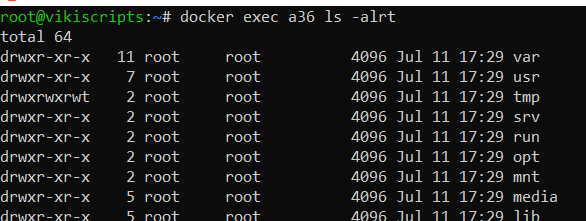
docker exec -it <container_id or name> <program_to_start>

- You can also execute a command against a container rather running a program
- You can also start a container assigning it a name.
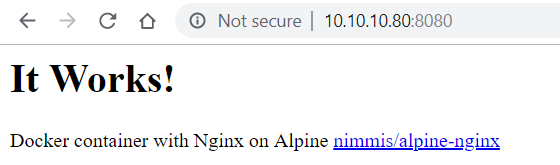
- Lets quickly run an nginx container with an assigned name and access it via a custom port

- Lets try and remove all containers
docker container rm $(docker container ls -aq) -f - docker help shows q in
ls -aqis an option of quite which shows only container IDs and-fto force and remove running containers too
