DevOps Training Material
DevOps Training » Docker » Docker Network
Docker networks deep dive

- Lets create two containers for some quick testing
docker run -dit --name alpine1 alpine ash
docker run -dit --name alpine2 alpine ash
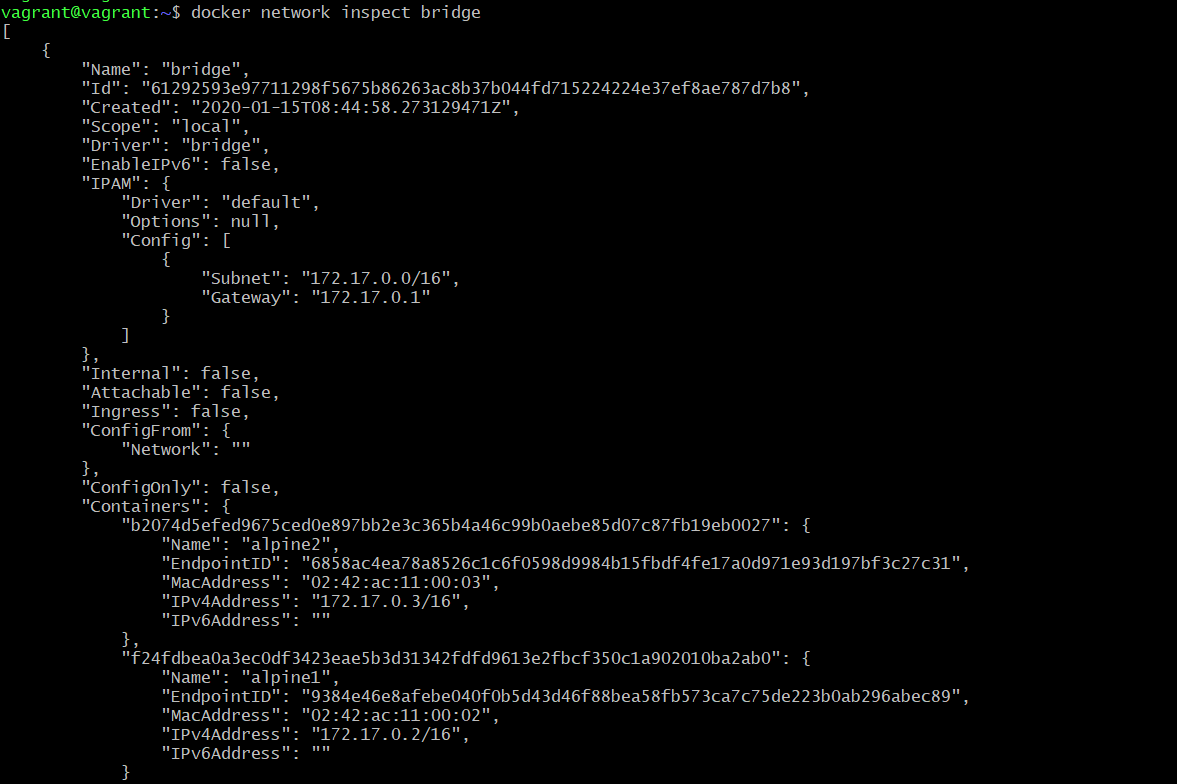
- Now inspect the bridge network
-
Whenever we create a container it gets attached into this default network
Name: Bridge , Driver: Bridge - Lets connect container alpine1
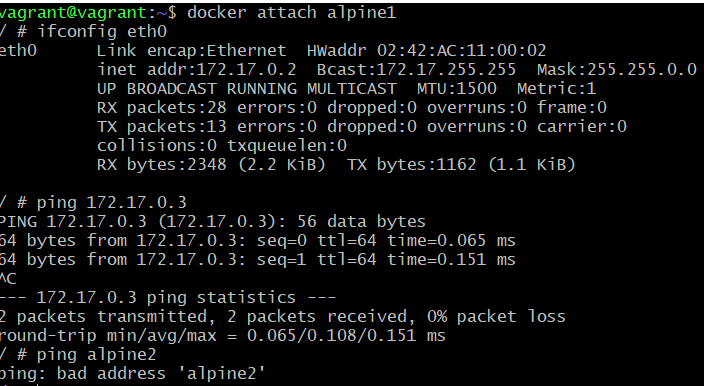
docker attach alpine1and do ifconfig to inspect - You will also notice
ping container_namedoes not work (You can achive this by creating a user defined network) Ctrl+P+Qto exit the container withough stoping it.
- Stop and Remove these containers
docker container stop alpine1 alpine2
docker container rm alpine1 alpine2
- You could chose to create
BridgeorHosttype use defined network